How to Import a Workout Program Into Hevy From a Spreadsheet (and What to Do When You Can't)
2 min read
You have a training program in a spreadsheet. Your coach made it, or you bought it, or you copied it from somewhere good. You want it in Hevy so you can log against it. Short version: Hevy cannot do this, and it is worth two minutes to understand exactly what its import does before you spend an evening fighting it.
What Hevy's import actually accepts
Hevy has one importer, and it is built for people switching from the Strong app. It accepts a CSV of your past workout history in Strong's export format, in English. That is the whole feature. Hevy's own help docs are upfront that files in other formats are not supported and that their support team will not help reformat them.
Two things follow from that:
- It imports history, not programs. Even a perfectly formatted file gives you your old logged workouts, not a routine you can follow forward.
- Your coach's spreadsheet, whatever shape it is in, is not a Strong export and never will be.
People try to hand-mangle their sheet into Strong's CSV columns anyway. It sometimes works for history migration. It still does not produce the thing you wanted, which is next week's program sitting in the app ready to log.
The supported answer: rebuild it by hand
Inside Hevy you create a routine, add each exercise from the picker, and set the sets and reps. For a typical coach program, call it four days a week and six movements a day over eight weeks with changing rep ranges, you are rebuilding dozens of day-variants by hand. Hevy's free tier also caps you at 4 routines, so a multi-week program with distinct weeks needs Pro or needs flattening.
If you live in Hevy and love it, this is a real answer. Budget an evening, and accept that the nuance in the sheet (percentages, deloads, coach notes) mostly will not survive the exercise picker.
The 20-second answer: screenshot the spreadsheet
RepSheet exists for exactly this job. You screenshot the program, upload it, and it reads the sheet and builds the trackable plan: days, movements, sets, reps, week by week.
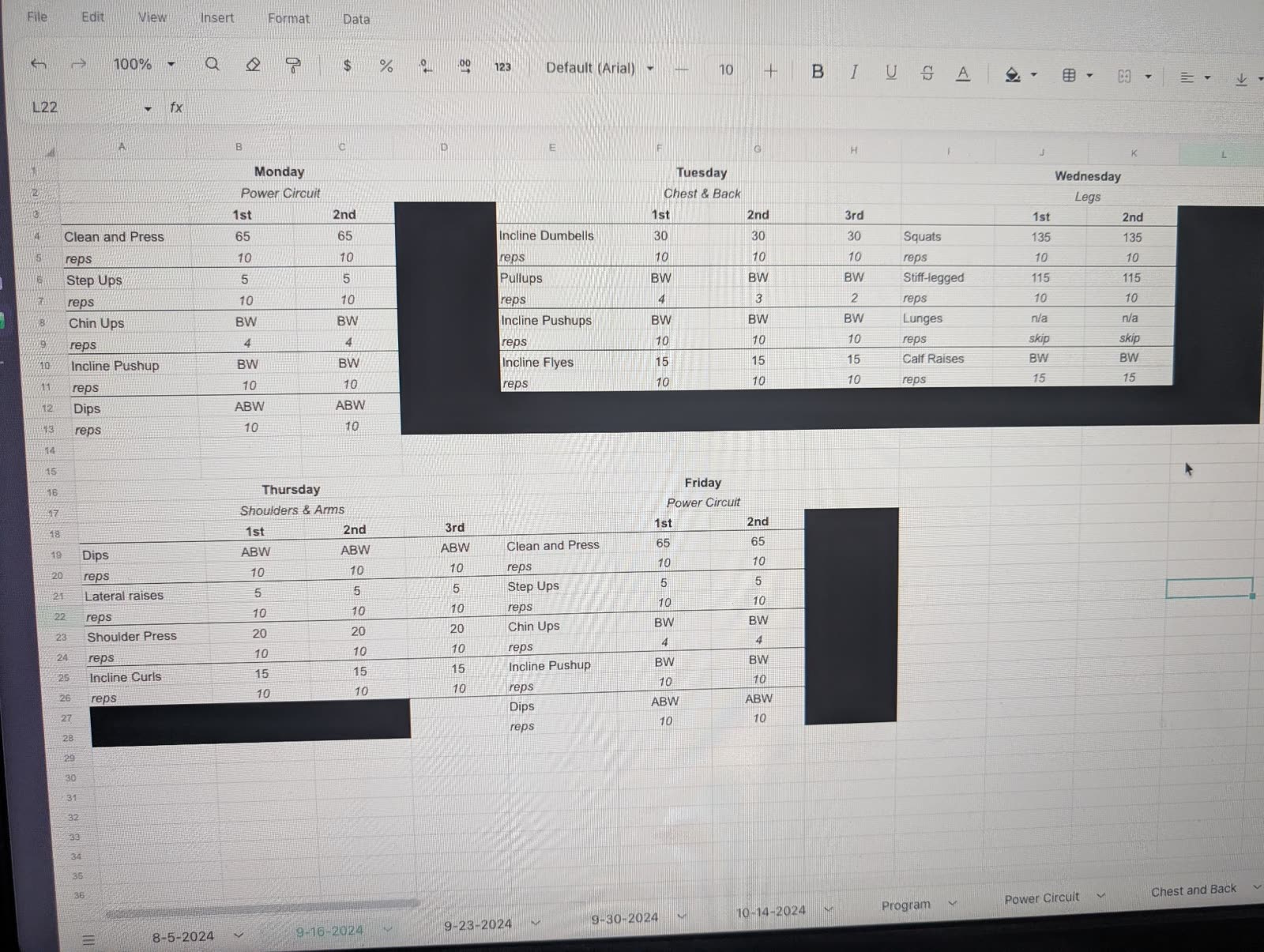
The photo is a real upload, glare and redaction bars included; the clip is the program it produced.
No CSV format, no reformatting, no exercise picker. It also reads PDFs, text messages, and photos of handwritten programs, because coaches send programs in whatever form they feel like.
To be clear about the trade: RepSheet is not Hevy. Hevy is a general workout logger with a big social layer. RepSheet is built around one thing, turning the program you were given into something you can track, and then logging it and watching your lifts move across the weeks. It is $10 a month or about $40 a year.
So what should you do?
If you need your old Strong history in Hevy, use the importer, that is what it is for. If you need the program from your coach's spreadsheet on your phone by tonight, rebuilding it by hand in Hevy works if you have the evening, and screenshotting it into RepSheet works if you have 20 seconds.
Try it with your actual program at repsheet.fit.
