My Coach Sent Me a Spreadsheet: How to Actually Track That Program at the Gym
3 min read
Your coach sends the program over. It is a Google Sheet, or an Excel file, or a screenshot of one. Week 1 through week 8, days across the top, sets and reps in the cells. Now you are standing in the gym trying to log a top set with your phone in one hand, pinch-zooming a spreadsheet with the other.
Almost every article about workout spreadsheets tells you how to build one. That is not your problem. You already have the spreadsheet. Somebody who knows what they are doing built it for you. Your problem is logging against it, every session, without losing track by week 3.
Here are the options people actually use, in order of effort.
Option 1: log inside the spreadsheet
If your coach built columns for your actual numbers, you can type them in during the session. This works, which is why so many coaches deliver programs this way. It also fails in specific, predictable spots: sheets are miserable on a phone, one fat-fingered cell can wreck a formula, and the sheet knows nothing about rest timers, PRs, or what you lifted for this movement three weeks ago. You get a record, not a tracker.
Option 2: print it or retype it into Notes
The paper-and-pen version still works and never runs out of battery. The Notes version is the one most people quietly end up with. Both share the same failure: your history lives in a pile of unsearchable text. When the program ends, you cannot see whether your squat actually moved.
Option 3: rebuild it in a workout tracker app
Apps like Hevy and Strong are good loggers, but they expect you to build the routine inside the app by hand. For an 8-week program with four days a week and five or six movements a day, that is an evening of tapping through exercise pickers, and every deload or rep-range change your coach wrote in gets flattened or lost. Neither app imports a program from a spreadsheet. Hevy's import accepts workout history in Strong's CSV format only, and their help docs say support will not assist with reformatting anything else.
Option 4: screenshot it and let the app read it
This is the part that did not exist a few years ago. RepSheet takes a screenshot of the program, the same one your coach sent, and turns it into a trackable plan: every day, every movement, sets and reps, ready to log.
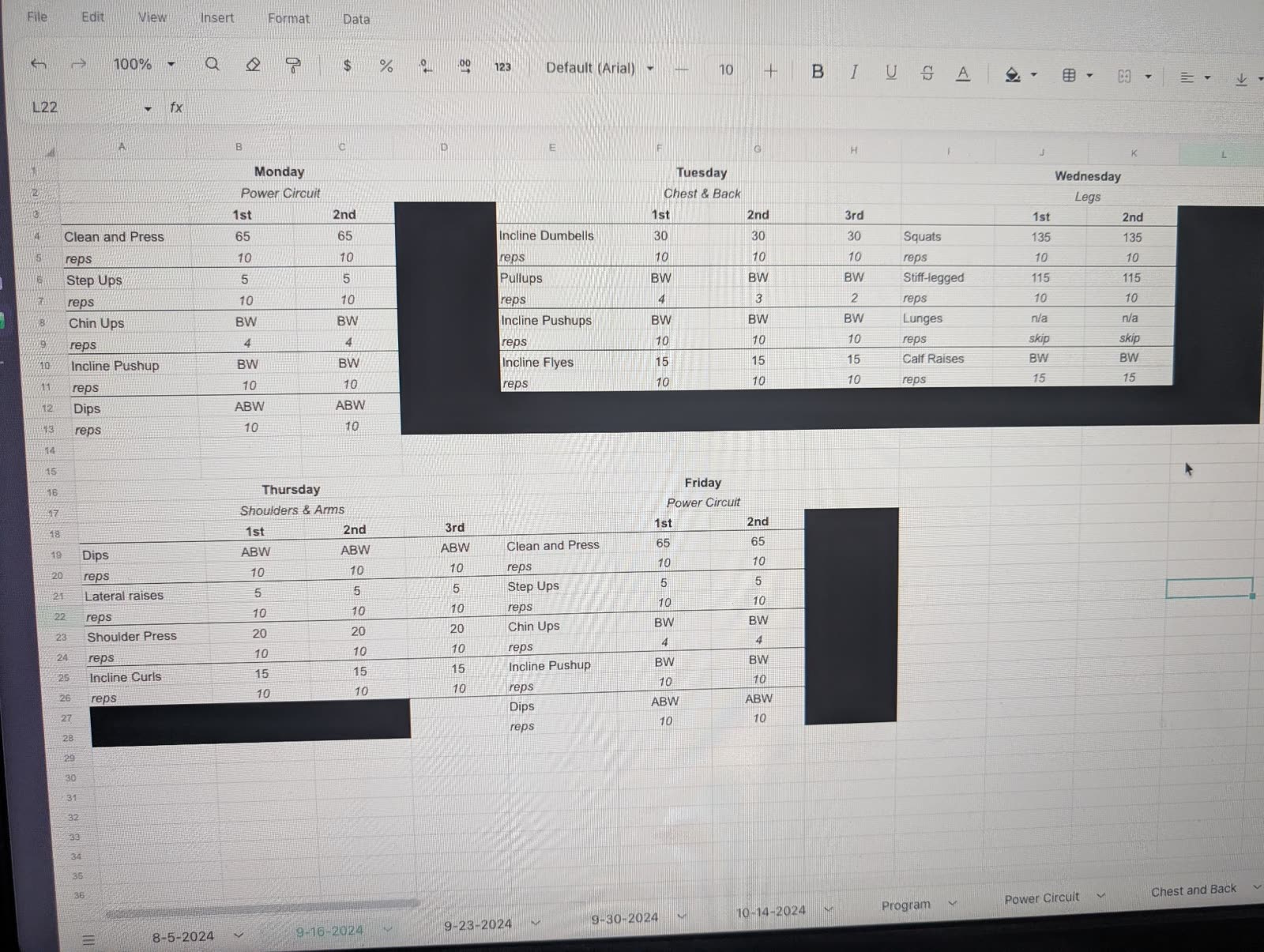
The photo is the actual upload: a spreadsheet on someone else's screen, redaction bars and all. The clip is what came out.
That is a real program going in and coming out. No retyping, no rebuilding, no reformatting into someone else's CSV shape. It reads screenshots of spreadsheets, PDFs, text messages, even a photo of a handwritten page.
From there it behaves like a tracker should: you log sets against the plan, it keeps your history per movement, and you can see whether the program is working across the weeks.
Which one should you pick?
If your coach reviews the sheet itself every week, keep filling in the sheet, and consider tracking in parallel so your history survives the program. If you are on your own with a program you were handed, the honest ranking is: screenshot import first, rebuild-by-hand if you enjoy that sort of thing, Notes only if you accept you are journaling rather than tracking.
RepSheet is $10 a month or $40 a year, and the screenshot import is the whole point. Try it with the program you were given at repsheet.fit.
