Track a PDF Workout Program on Your Phone (Without Annotating It in GoodNotes)
3 min read
Coaches love PDFs. The program looks polished, it opens everywhere, and nothing can accidentally break a formula. Then you get to the gym and discover what a PDF actually is: a picture of a program. You cannot type your numbers into it, you cannot tick off a set, and by week 3 you are scrolling to find today's page with chalk on your thumbs.
If you search for a fix, the standard advice is to open the PDF in an annotation app like GoodNotes and scribble your numbers on top of it. That works, sort of, and it is worth understanding where it stops working before you build eight weeks of training on it.
Option 1: annotate the PDF in GoodNotes
Import the PDF, pick the pen tool, write your weights next to each exercise. If you train with an iPad and a stylus this is genuinely pleasant, which is why it is the incumbent answer.
On a phone it is a different story. You are finger-writing "185" into a table cell the size of a grain of rice between sets. And whatever device you use, the deeper problem is the same: your numbers are handwriting on a picture. Nothing knows that scribble was a squat. There is no rest timer, no last-session number next to this one, and at the end of the program no way to see whether any lift moved without flipping pages and squinting.
Option 2: print it
The paper version of the same idea. It never runs out of battery and never rings mid-set. It also lives in your gym bag getting soft at the corners, and your training history retires to a drawer when the program ends. Fine for a short program you will never look back on.
Option 3: rebuild it in a tracker app
Apps like Hevy and Strong are good loggers, but neither reads a PDF. The supported path is to recreate the program by hand: create a routine, search the exercise picker, type each set and rep scheme, repeat for every day of every week. For a real coach program, several days a week across two or three months with changing rep ranges, that is an evening of data entry, and the notes and percentages your coach wrote in mostly do not survive the routine editor.
Option 4: let the app read the PDF
Screenshot any page of the PDF and RepSheet turns it into a trackable plan: every day, every movement, sets and reps, ready to log. No retyping, no exercise picker, no writing on a picture.
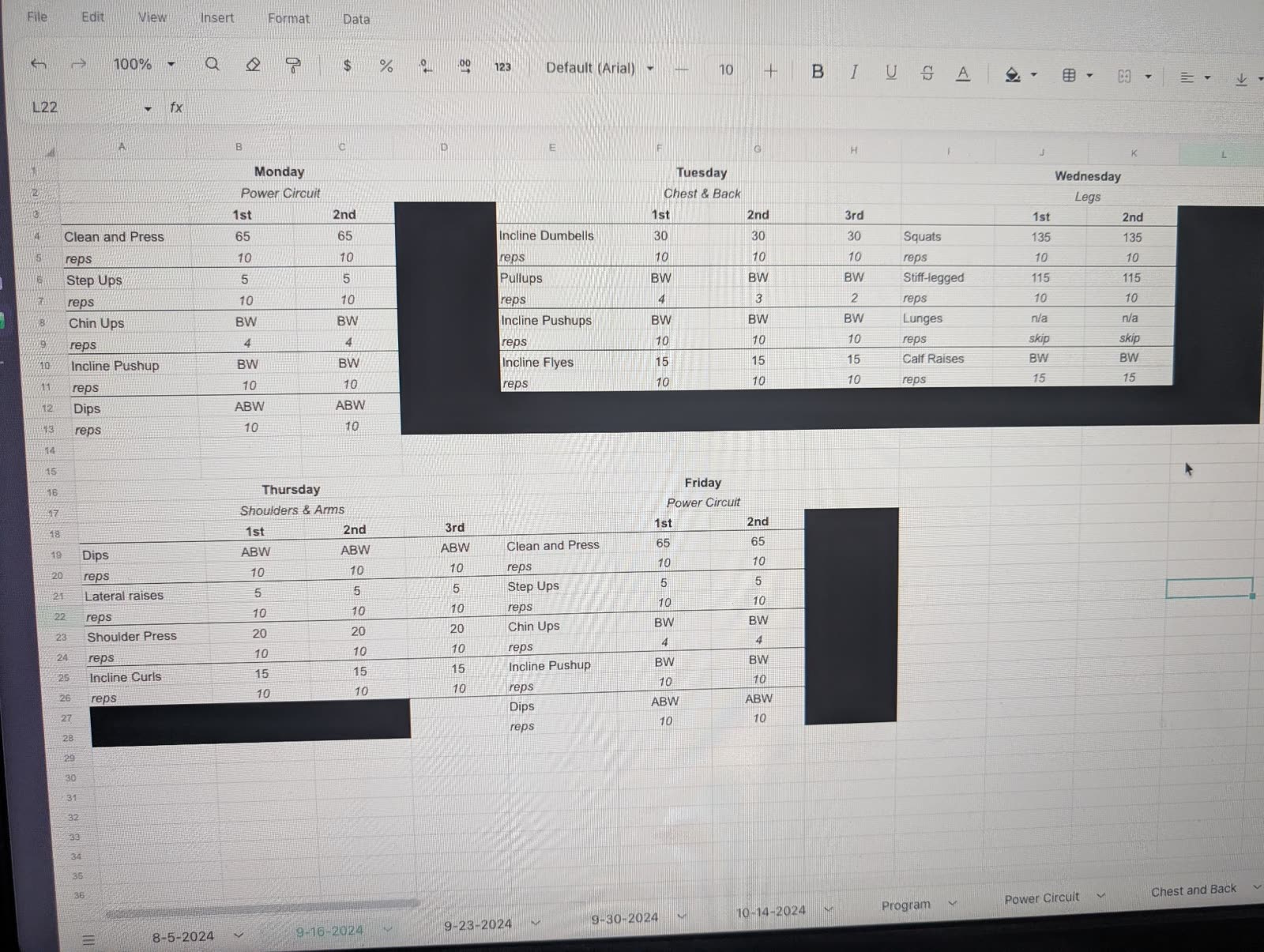
The example above is a spreadsheet photographed off someone else's screen, glare and all. A page of your PDF is an easier read than that.
From there it does the things a PDF cannot: you log sets against the plan, it shows what you lifted for this movement last session, it keeps your history per exercise, and you can see whether the program is actually working across the weeks. The PDF your coach sent stays the source of truth; you are just moving the logging somewhere built for it.
It reads spreadsheets, text messages, and photos of handwritten pages the same way, because coaches send programs in whatever form they feel like.
Which one should you pick?
If you train with an iPad and like handwriting, GoodNotes is a real answer, just accept that you are journaling on a picture rather than tracking. If you enjoy building routines by hand, the rebuild works and costs you an evening. If you want the program from the PDF on your phone by tonight, with history that survives the program, the screenshot import is the honest first choice.
RepSheet is $10 a month or $40 a year. Try it with the PDF you were sent at repsheet.fit.
