Turn a Workout Screenshot Into a Program You Can Track
3 min read
Somewhere on your phone there is a screenshot of a training program. A coach's spreadsheet, a page from a paid PDF, a plan someone posted, a text message with next week's sessions. You saved it because you meant to follow it. Then it sank into your camera roll, and following it turned into scrolling to find it between sets.
A screenshot is a fine way to receive a program and a useless way to track one. You cannot log a set into a picture. Here is how to turn that picture into a plan you can actually log against, start to finish.
Step 1: get one clear screenshot per chunk of the program
The screenshot does not need to be pretty. It needs to be readable, by you, at normal zoom. If you can read the exercise names and the sets and reps, so can the parse.
- Capture the whole table, not a crop that cuts off the reps column.
- If the program is long, take one screenshot per week or per page rather than one enormous scroll-capture with tiny text.
- A photo of someone else's screen, or of a printed page, works too. Glare and clutter are fine as long as the words are legible.
Step 2: upload it to RepSheet
Open repsheet.fit, upload the screenshot, and wait about twenty seconds. RepSheet reads it the way a person would: days, exercises, sets, reps, week by week, and builds the trackable program from it.
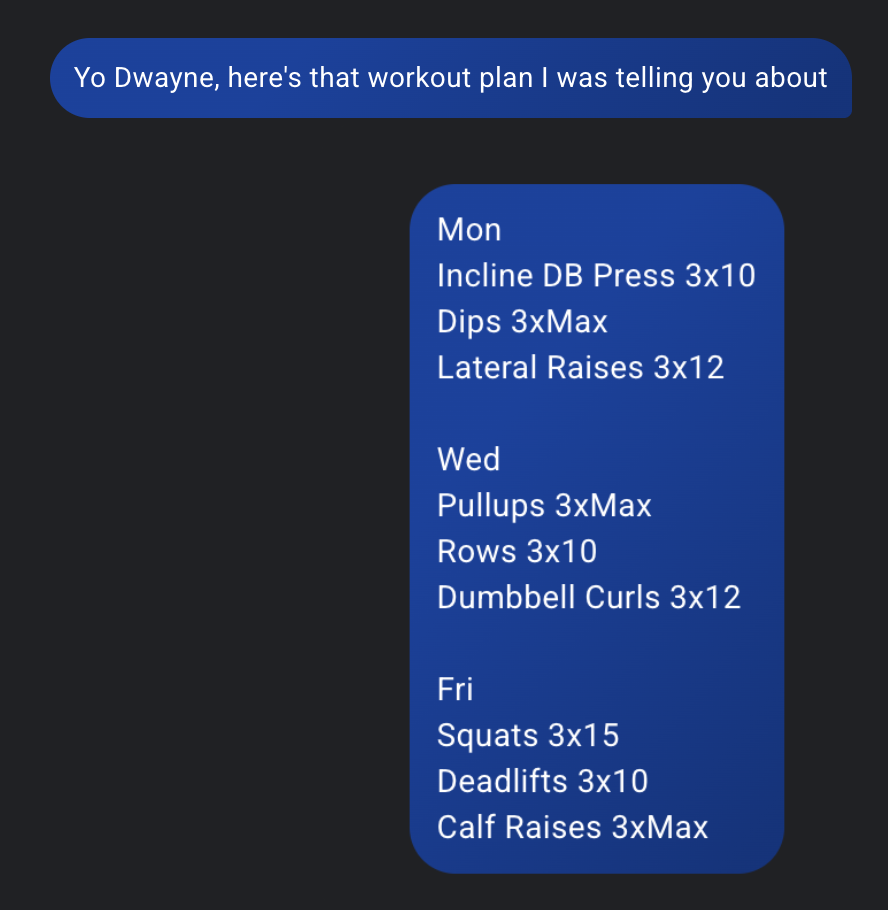
That upload is a real worst case: a program that only exists as a text message, three days of training typed into two chat bubbles. Screenshot it, upload it, and it comes out the other side as a full program, ready to log set by set.
Step 3: check the parse before your first session
Take one minute to read through what came out and confirm it matches the picture. Screenshots written by humans have quirks: "3x8-10 each side," supersets drawn with brackets, a deload note in the margin. Most of it comes through. If a movement came through wrong, fix it now, while the original is still open next to it, not mid-session with a barbell waiting.
This step is the honest difference between a demo and a program you will run for eight weeks. One minute of checking up front beats discovering in week 3 that a rep range was misread.
Step 4: log against it at the gym
From here it behaves like a tracker should. You open today's session, and each movement is there with its sets and reps waiting to be logged. You get the things a screenshot can never give you: a rest timer, last session's numbers next to this one, and your history per exercise, so at the end of the program you can see whether your lifts actually moved.
The screenshot stays in your camera roll as the source of truth. You are not abandoning the program you were given. You are just done squinting at it.
What about programs that are not screenshots?
The same flow reads PDFs, spreadsheets, text messages, and photos of handwritten pages. The point was never screenshot support. The point is that programs arrive in whatever form a coach feels like sending, and tracking one should not cost you an evening of retyping it into an exercise picker.
RepSheet is $10 a month or $40 a year, and this is the whole point of it. Pull up the screenshot you have been meaning to follow and try it at repsheet.fit.
